
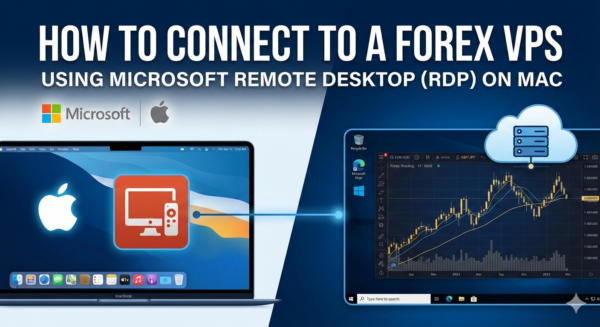
Mac users often think Remote Desktop is only for Windows, but connecting to a forex VPS or trade VPS on macOS is fast and easy. In this guide, MarginVPS explains how to connect to a VPS using RDP on Mac step by step.
Whether you run MetaTrader, trading bots, or automated strategies, a forex VPS ensures 24/7 uptime and low latency.
Why Use a Forex VPS on Mac?
Using a trade VPS allows you to:
- Keep MetaTrader (MT4/MT5) running 24/7
- Reduce latency to your broker
- Trade without internet or power interruptions
- Access your trading setup from anywhere
MarginVPS provides optimized forex VPS servers designed for fast and stable trading.
What You Need to Connect
Before connecting to your forex VPS, make sure you have:
- A Mac computer (macOS)
- VPS IP address
- Username and password (provided after VPS activation)
- Internet connection
Step 1: Download Microsoft Remote Desktop for Mac
To connect to a trade VPS on macOS:
- Open the Mac App Store
- Search for Microsoft Remote Desktop
- Download and install the app
This is the official RDP client supported by Microsoft.
Step 2: Add Your Forex VPS in Microsoft Remote Desktop
- Open Microsoft Remote Desktop
- Click Add PC
- Enter your forex VPS IP address
- Under User Account, add your VPS username and password
- Save the connection
Step 3: Connect to Your Trade VPS
- Double-click your VPS connection
- Accept the security warning
- Your Windows VPS desktop will load in seconds
You are now connected to your forex VPS on Mac using RDP.
Recommended Settings for Forex Trading
To get the best performance from your trade VPS:
- Set Windows power mode to High Performance
- Install MetaTrader 4 or MetaTrader 5
- Keep the VPS running continuously
- Avoid unnecessary software
Forex VPS for Mac Traders – MarginVPS
Common Problems and Solutions
RDP Connection Failed
- Check your VPS IP address
- Verify username and password
- Restart Microsoft Remote Desktop
Slow Forex VPS Performance
- Make sure your VPS plan matches your trading needs
- Upgrade to a higher-performance forex VPS
Final Thoughts
Connecting to a forex VPS on Mac using Remote Desktop is simple and reliable. With MarginVPS, Mac traders can run MetaTrader, EAs, and automated strategies without interruptions.
If you’re looking for a fast, stable, and affordable trade VPS, MarginVPS is built specifically for forex traders.
Leave a Reply